Features
A feature is a keyed detail with a location — the loose flagstone, the sealed alcove, the chest under the altar. Where the other cards each hold one thing, an area holds as many features as you add. Its card is one of the four in the area panel, reached the way stocking reaches all of them.
What a feature is
Every feature has an id, a kind, and a description. The id is yours to name and is what the rest of the document refers to; a duplicate, empty, or reserved id is refused inline, right where you typed it, rather than at save time. The description is the prose the referee reads.
The three kinds say what the feature is for, and the kind is load-bearing rather than a label:
- Treasure cache — a specific stash: named items, named magic items, counted coins, valuables, and optionally a trap guarding it. This is the only kind the party can open and take from at the table.
- Construction trick — the dungeon doing something: the sliding wall, the rotating room, the sinking floor.
- Custom — everything else worth keying.
Set the kind first, because the contents below belong to the cache and appear on that kind alone. A trick or a custom feature has no way for the party to open it, so items and coins on either would be unreachable at the table; the editor doesn't offer fields that could only disappoint. Changing a cache to another kind takes its contents and its trap with it, in the same undo step — and undo puts them back.
When a feature arrives with contents already on a kind that can't hold them — from an earlier version of this editor, which showed the fields on every kind, or from a converted module — the editor says so and names what's there. Hiding the fields would otherwise hide the contents themselves, which stay in the document and still publish. Set the kind back to Treasure cache and they're all there to edit or remove; nothing was cleared behind your back.
Where a feature sits
A feature is bound either to its area as a whole or to one particular cell. Pick cell… opens a thumbnail of the level to click the cell on; Bind to area takes the binding back off, leaving the feature attached to the area rather than a square of it.
Cell binding is what lets a big room hold several distinct features — the fountain at one end, the collapsed shaft at the other. It also governs who can reach a feature: a cell-bound feature is only interactable by a party standing on that cell, while an area-bound feature is reachable anywhere in the room. Bind a trapped cache to its cell, so the party has to be standing at the chest to open it.
What a cache holds
A cache's contents are authored explicitly rather than rolled:
- Items come from osrlib's equipment catalog through the type-ahead picker, so the ids are always real. Added items list as chips; each removes on its own.
- Magic items come from osrlib's magic-item catalog the same way — the sword +1 in the captain's strongbox, placed by name. The picker groups by category and marks the cursed forms, so placing one is a choice rather than a surprise. What you name is the item alone: the game rolls its secrets — a wand's charges, a scroll's spells, a sword's sentience — when the party empties the cache, exactly as it would for a generated hoard, and the party still has to identify what it picked up.
- Coins are counted per denomination — pp, gp, ep, sp, cp.
- Valuables are named things with a gold value, for the gems, jewellery, and objets the module names outright.
Trap this cache adds a treasure trap, built with the same trap builder as a room trap and pinned to the treasure kind because of where it lives. It appears on treasure caches only. Remove the trap takes it off again.
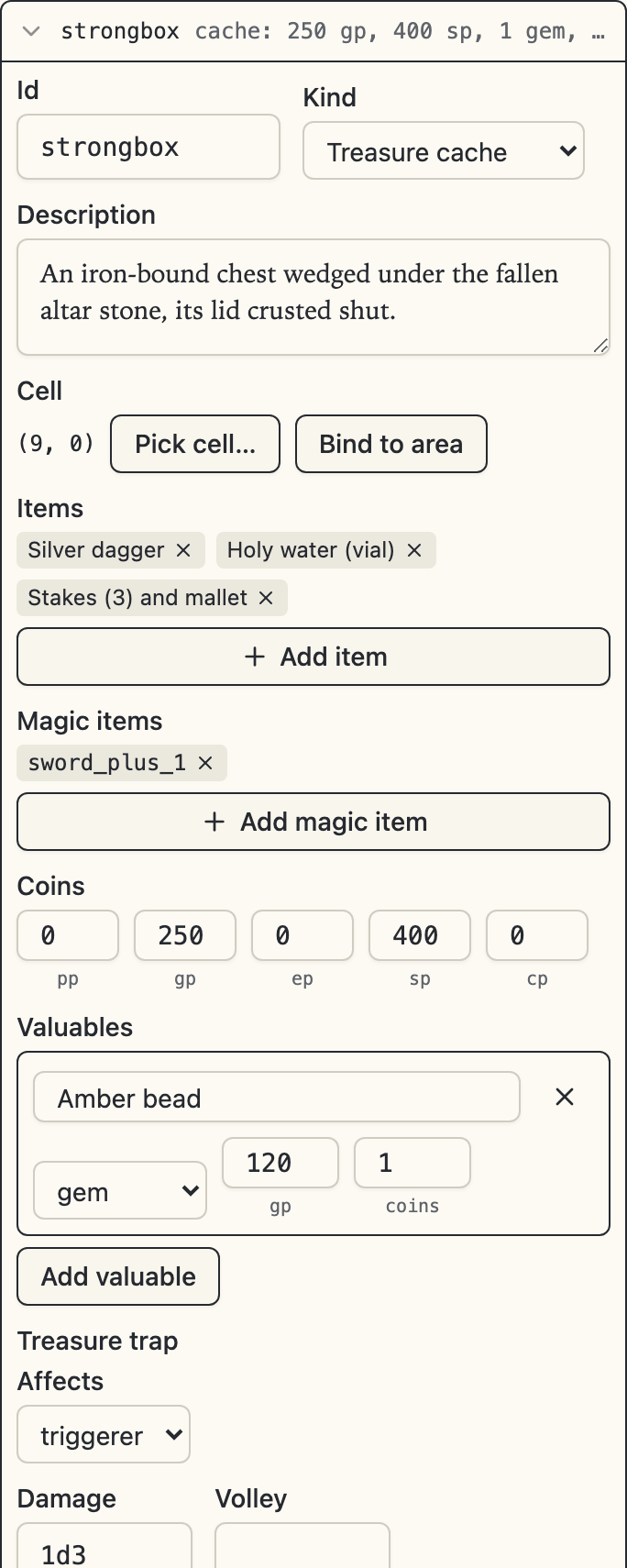
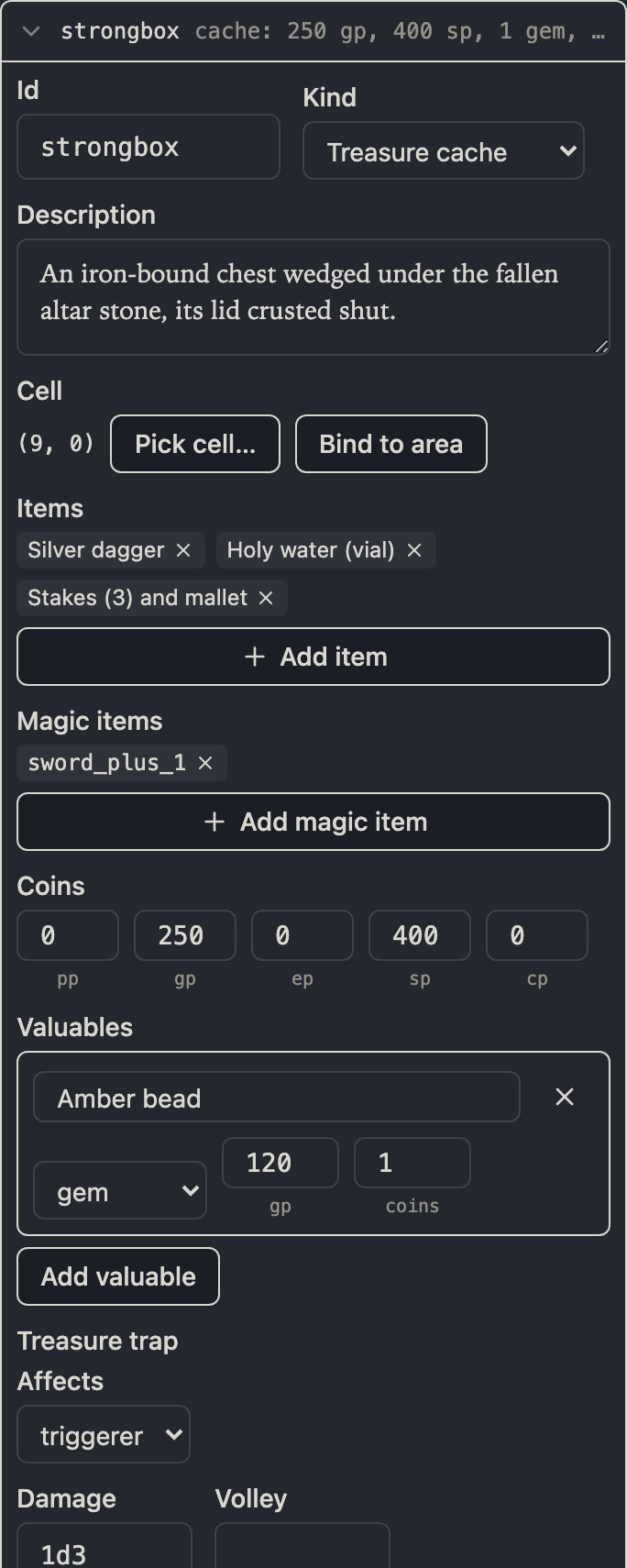
The cache's trap opens with Affects rather than a trigger, which is the treasure kind showing: the engine springs a cache's trap when the cache is opened and never reads a trigger for it, so there is no trigger field to show. The rest of the builder continues below the bottom of that frame — traps has the whole of it.
That explicitness is the difference from the treasure card: with a treasure declaration you hand the room to the tables, while a cache feature is you saying exactly what's there.
Level features
Not every keyed detail belongs to a room. A trick in a corridor, a cache in a dead-end passage, an inscription on a stair landing — these live at level scope, in Level features in the level properties dialog, using the same feature cards.
The one difference is the add flow: a level feature has no area to fall back on, so Add feature… asks for the cell first, on the same level thumbnail, and commits once you've clicked it. This is also the surface where a lint finding about a level feature, or a resize that would strand one, gets resolved.